
FizziQ Cobalt
A new generation of FizziQ to experiment, measure and analyse science in the classroom.
Many new features, without changing your habits: your notebooks and activities are kept, and the gestures you know stay the same.
Rather than a list of features, here is, one change at a time, what we tried to do with Cobalt, and why.
A new measurement screen, designed for the classroom
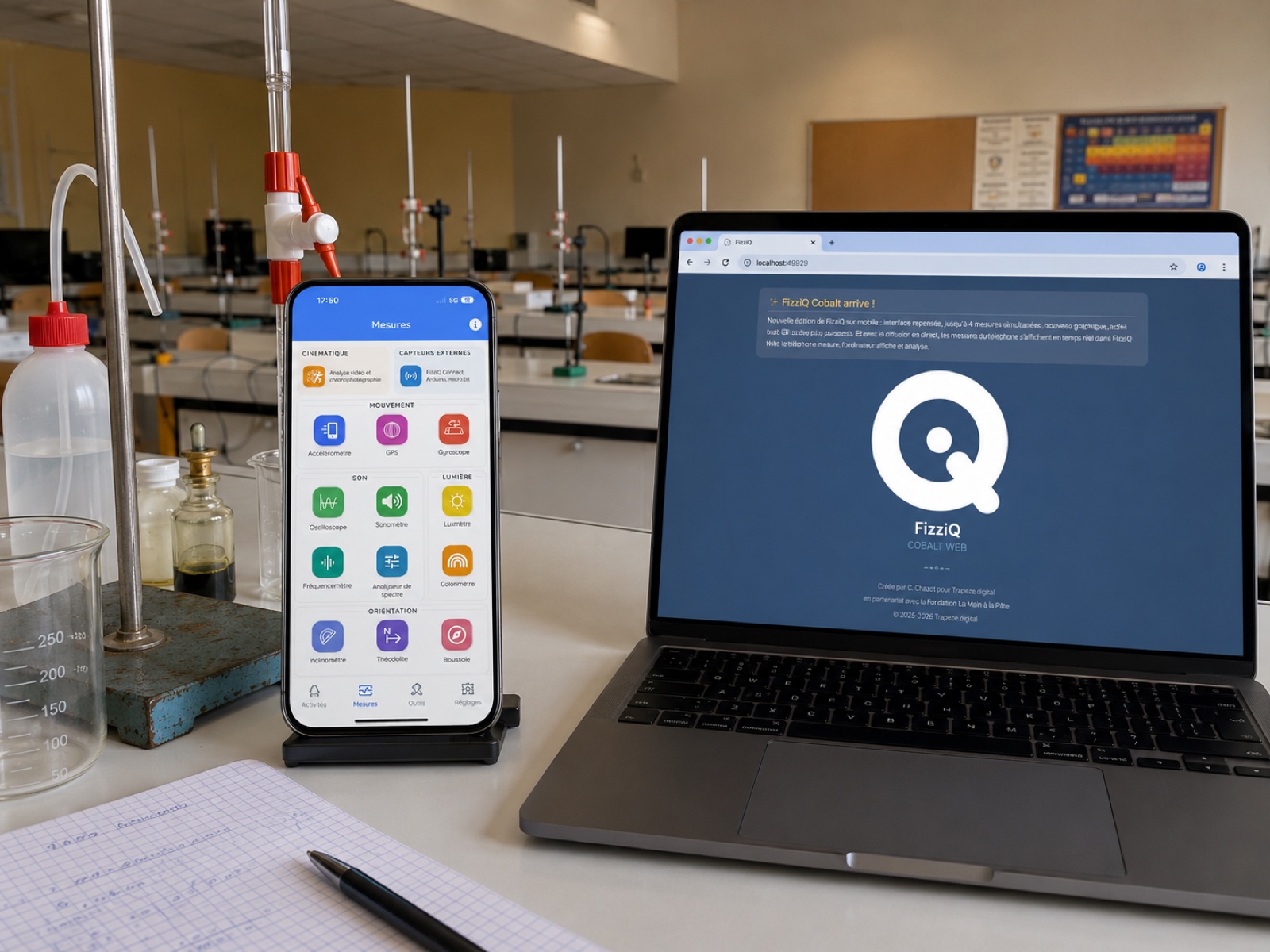
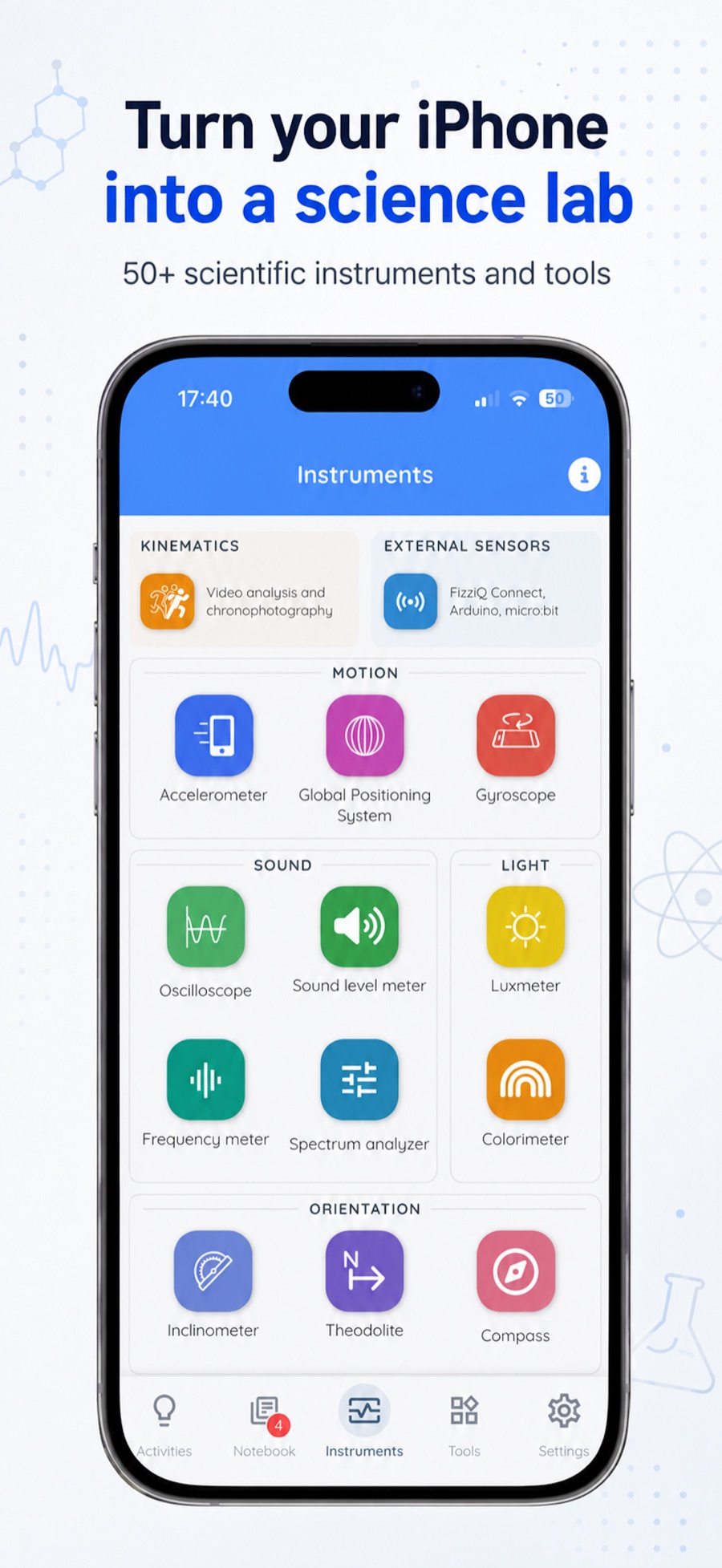
We wanted the new Measures screen to bring together two logics: a classification by broad themes — Motion, Sound, Light, Orientation, Fields — which makes didactic sense, and the classification by measurement instrument that we hold dear. To us, the instrument is the basic component of experimentation: we chose to keep it front and centre, rather than classifying by measurement type as some recent apps do.
Measure up to 4 quantities at once
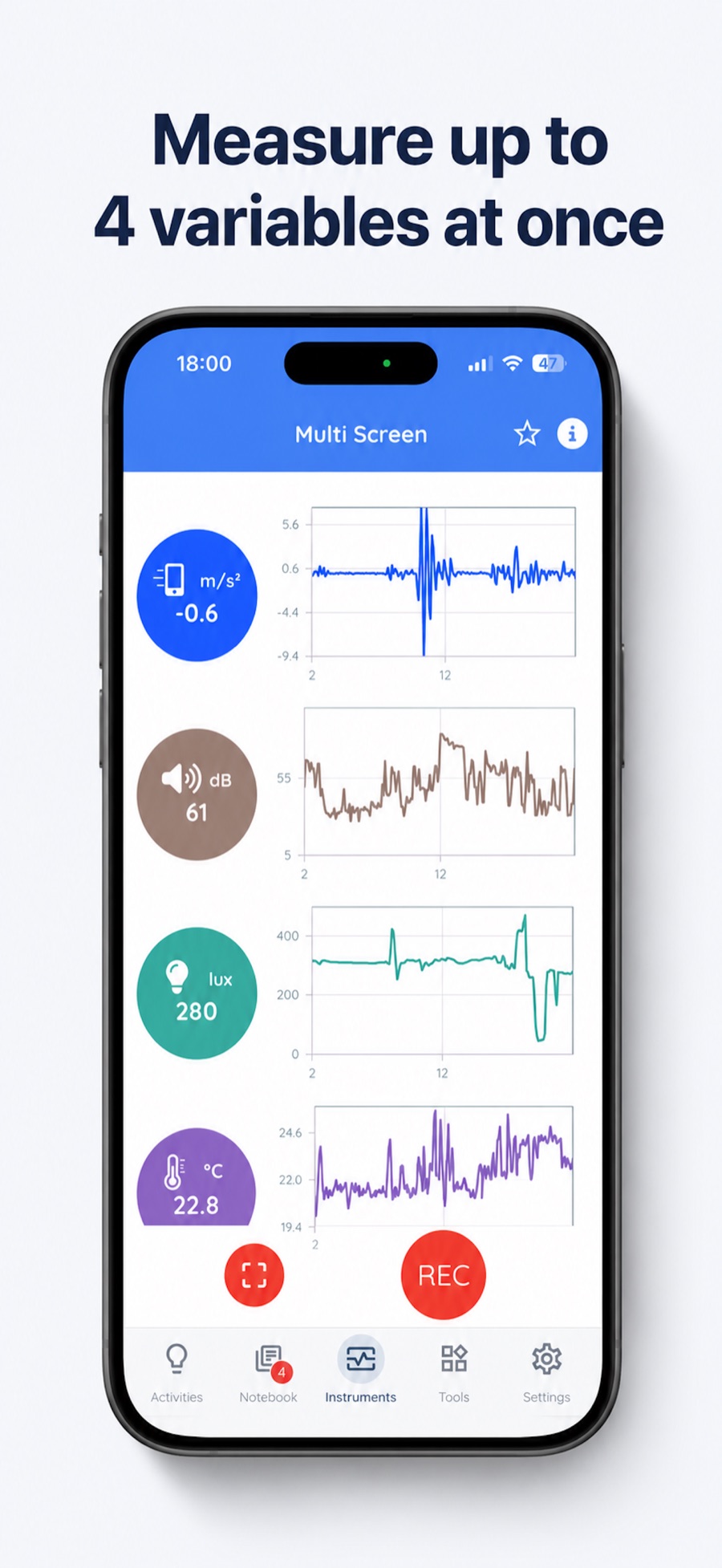
Duo mode already displayed two measurements; we wanted to go further. Multi mode, which replaces it with a fully redrawn screen, displays up to four instruments at once, each with its live value and real-time graph, and records them on a common time base in a single notebook card — CSV and Python export included.
A completely redrawn graph screen
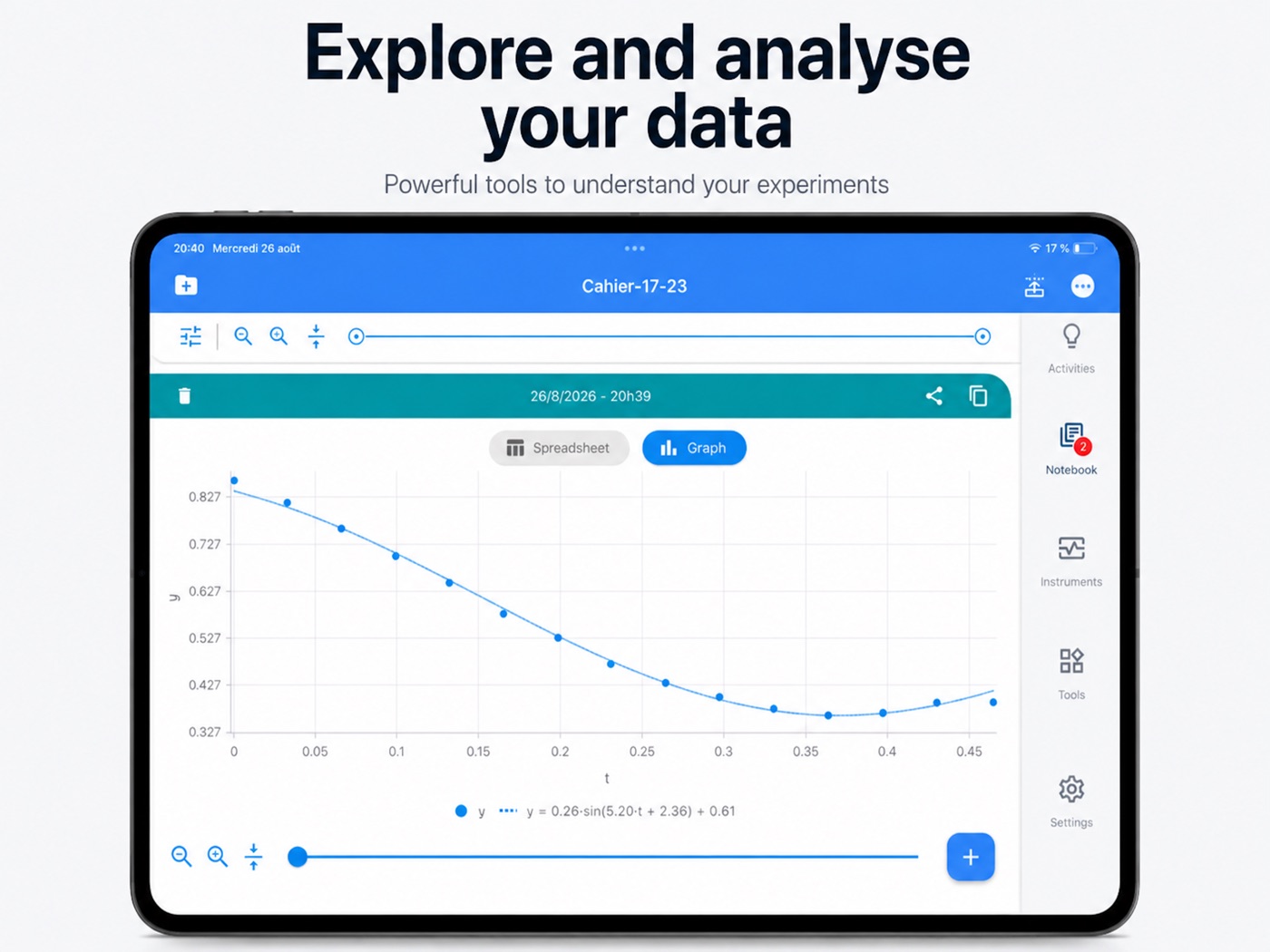
That work led us to rethink the notebook graph entirely. Every card gains a detailed menu, far more complete than before: choice of displayed data, lines, points or columns, histograms, relative values to compare curve shapes, XY graphs, statistics and zoom. And older notebooks remain readable as they are.
An Activities screen that keeps its promises
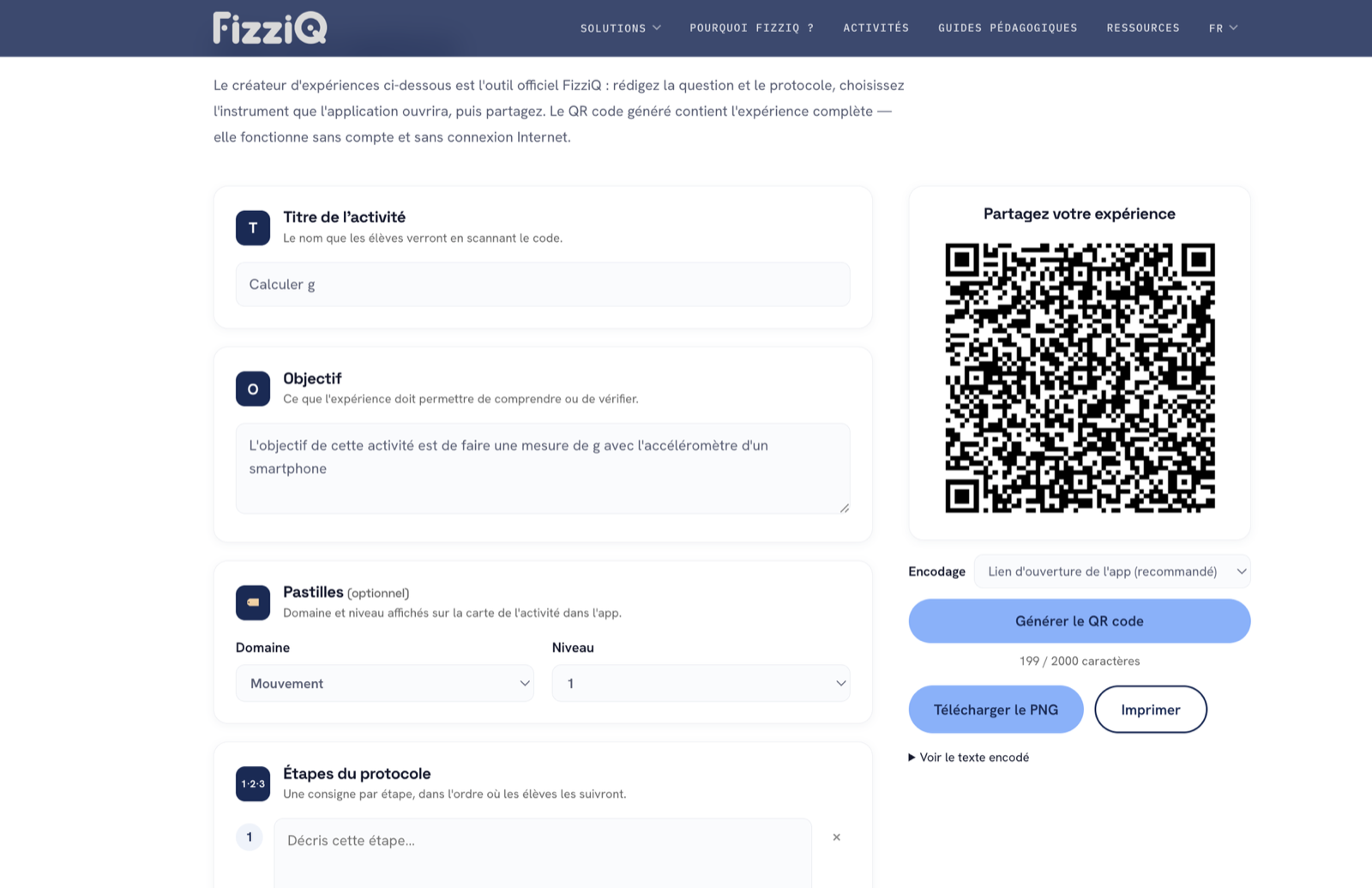
The Activities screen is at once a showcase — nearly 120 experiments using the smartphone or external sensors —, a learning ground for new users and a way to share activities with students. The old screen did not keep those promises: we redesigned it entirely, with a tutorial to make your first measurement, a nicer catalog, usable offline once downloaded, and experiment creation now on the website, richer and more visible.
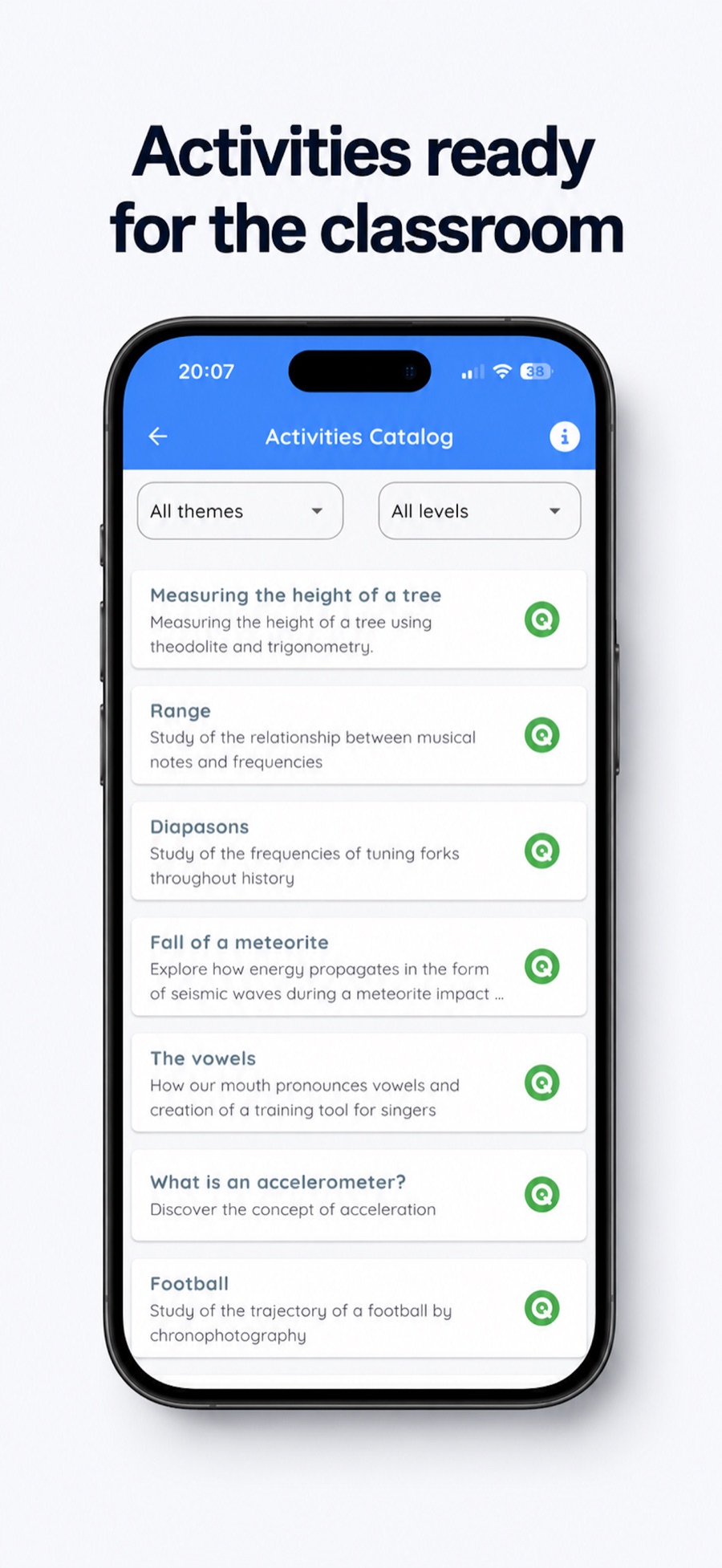
New-generation QR codes
No need to open FizziQ to import an activity anymore: the QR code is scanned with the camera, and the app opens directly on the activity. The creator can also have an instrument or a tool open at the same time. It is not what we favour — we want FizziQ to remain as unprescriptive as possible — but when a teacher needs to get to the measurement quickly, it is precious. A QR can even open an instrument alone, with no activity: easy to slip into a lesson.
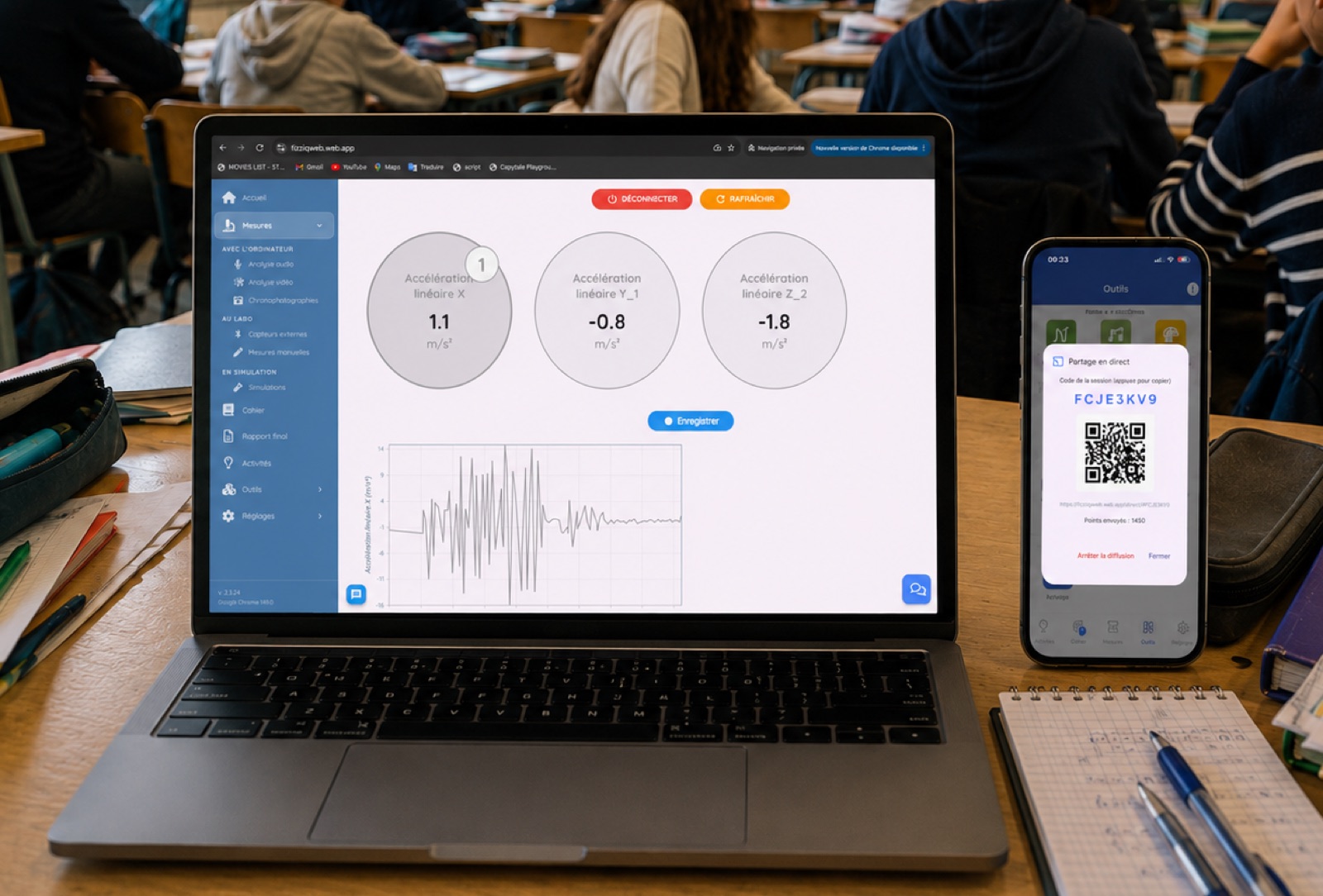
From smartphone to computer
We worked a lot on the interaction between the mobile app and FizziQ Web, and one thing seemed obvious: letting a smartphone share its measurements with a set of FizziQ Web consoles. One classic method is to have the phone serve a web page, but school networks often defeat it: devices isolated from each other, separate networks for tablets and desktop computers, discovery protocols filtered, local connections refused by secure pages. We chose a different route: measurements travel through a protected database, with no confidential information whatsoever, updated near-instantly; devices holding the session code retrieve them, and FizziQ Web displays them as external sensors. It is extremely robust: it works at any time, whatever the school's infrastructure. The feature is in beta, and your feedback will decide what comes next.
An assistant that helps, without ever giving the answer
AskFizziQ is an assistant that helps students and teachers on three fronts: how FizziQ works, with the whole user guide in memory to answer in plain language; exploring the catalog, to help teachers find activities and offer them to their students; and scientific concepts, explained simply to help students progress. Its knowledge bases have been largely expanded for Cobalt, especially on everything related to how the app works.
AskFizziQ is in no way meant to replace the teacher: its stance is resolutely Socratic, programmed not to give the answer but to guide. Where does it help most? When a student attaches, with a click on the paperclip, a measurement from their experiment notebook: AskFizziQ then helps interpret the data. Attach a sound spectrum, and it will suggest looking at the harmonics or the main frequency peaks.
Dozens of improvements, and a very simple update
Beyond these big projects, Cobalt brings its share of fixes and quieter improvements. Our approach has not changed: most of them come directly from your feedback, which we read in full and which guides, version after version, what we fix and what we polish. Keep writing to us.
To move to Cobalt, there is nothing special to do: update FizziQ from the App Store or Google Play (it happens automatically if your device allows automatic updates), and your notebooks and activities are kept. As for FizziQ Web, it is always up to date: the browser loads the latest version on every visit.
Designed for the classroom, on the right equipment
FizziQ is designed for focused, supervised scientific uses of technology in the classroom: measurements, physics experiments and a data analysis approach, on the equipment that fits the teaching context — computer, tablet or smartphone. Smartphone sensors become measuring instruments; the computer takes over for analysis.
Always free. No ads. No student account. No personal data collection.